Haystack News: Local TV News
- 4.2
- Rating
- 5.00M
- Installs
- Free
- Price

 Analysis by App-foxy
I usually judge a news app by what happens when I have only a few minutes: can I open it, understand what matters, and move on without fighting the interface? Haystack News takes a broad approach to that problem by bringing local, live, and international coverage into one place. It is a free News & Magazines app from Haystack News, aimed at people who would rather browse several sources from one screen than jump between individual broadcaster apps.
After spending time with it, my impression is that its biggest strength is convenience rather than deep editorial analysis. The app gives me a quick way to sample different coverage, switch between topics, and catch up in short sessions. That makes it useful during a commute, over breakfast, or when a developing story is moving faster than a single source can explain. At the same time, its wide selection means I still need to make my own decisions about which reports deserve closer attention.
How Haystack News feels during everyday use
I find the everyday appeal here is less about watching everything and more about making a small, repeatable news habit easy to keep. A useful next step is to decide in advance what deserves a quick check and what merits a longer look, so the broad selection stays helpful rather than becoming another stream to scroll. That distinction also leads to a closer look at what trust and user control mean in practice.
You May Also Like

 Blood Strike: 2.5 Anniversary
Blood Strike’s Loadouts Turn Every Drop Into a Tactical Gamble
A close look at Blood Strike’s custom loadouts: how fast access to signature weapons reshapes its battle royale rhythm, rewards preparation, and narrows the gap between fights.

 Pandora - Music & Podcasts
Pandora’s Music Is Easy to Start, but Harder to Recover
Pandora’s strength is its low-effort path from a seed to a station. Its weak spot is how much confidence it asks you to place in connection, setup, and quiet recovery.

 8 Ball Pool
 Is Built on Rivalries, Rematches, and Routine
A close look at the rivalries, rematches, shared routines, and unanswered safety questions that turn a quick pool match into a persistent mobile community.

 Samsung Music
’s Quiet Strength Is Playing What You Already Own
Its reach comes less from spectacle than from dependable access to a personal library. That simplicity is both the app’s strongest retention engine and its ceiling.

 AccuWeather: Weather Radar
AccuWeather Review: A Quick, Clear Forecast for Everyday Decisions
For everyday plans, the best forecast is the one you can understand quickly. AccuWeather makes rain timing, radar, and local conditions easy to act on, with a few trade-offs.

 Hill Climb Racing
Why Hill Climb Racing Still Turns Crashes Into One More Run
A tiny car, a bumpy hill and one more upgrade: Hill Climb Racing keeps resurfacing because its simple chaos makes every near-miss feel personal.
More From Our News Desk
View All News


Quick access matters more than endless browsing
The first thing I notice with this kind of app is how quickly it gets me from opening the screen to actual reporting. Haystack News is built around that short path. Instead of treating news as a single publication with one fixed voice, it works as a central viewing point for coverage from many channels. That is especially helpful when I want a fast overview rather than a long reading session.
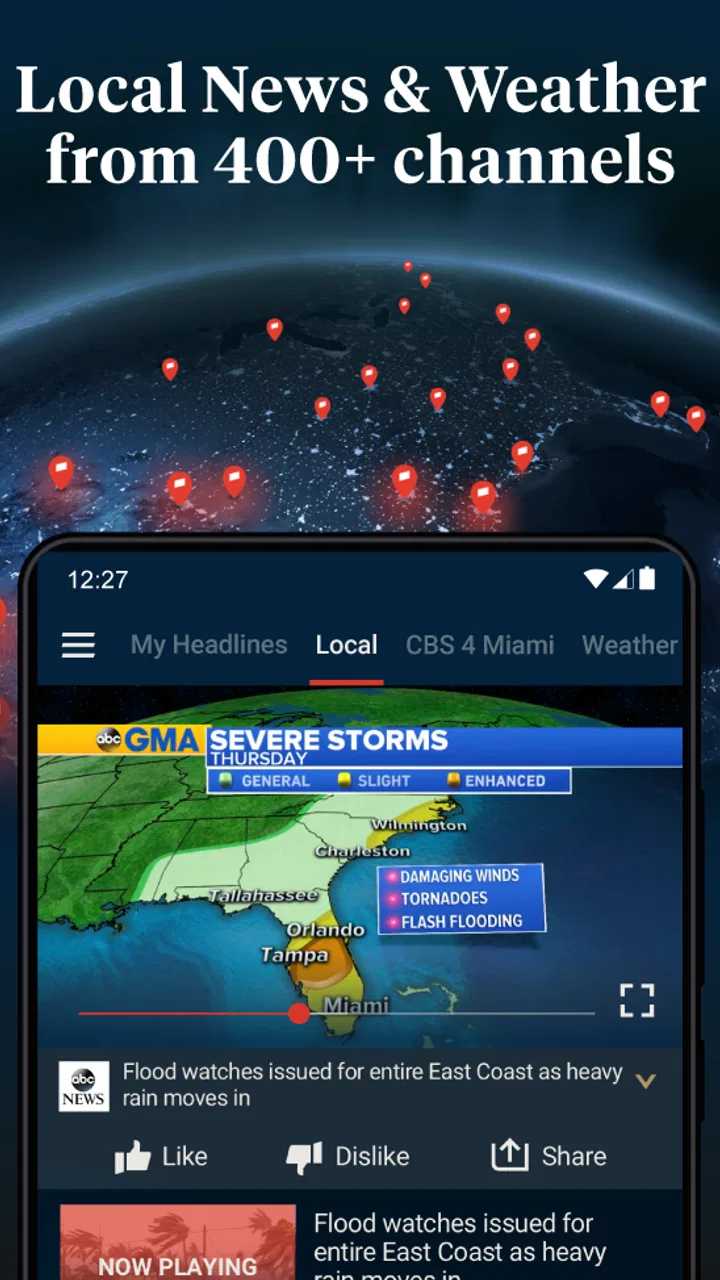
The service covers more than 400 news channels, which gives the app a useful sense of scale. I can look for local reporting, follow live coverage, or broaden the view to world news without installing a separate app for every outlet. The trade-off is that a large catalog can feel less focused than a carefully chosen newspaper app. I get more variety, but I also have to spend a little more time deciding what to watch and what to ignore.
For speed expectations, I would describe the experience as quick for casual checking, provided the phone and connection are already behaving normally. The app’s purpose is not to make me build a complex news dashboard. It is better suited to opening, scanning, selecting a report, and leaving. That simple rhythm is one reason I can imagine using it repeatedly throughout the day.
A practical morning routine
My preferred use case is a short morning check. I might start with local coverage to see whether anything affects travel or the immediate area, then move to broader headlines before putting the phone away. Haystack News works well in that situation because I do not need to remember which broadcaster covered each subject. The app gives me a single starting point, and I can decide how far to follow a story.
There is also a useful habit hidden in that workflow: I can compare the way different channels frame the same event instead of accepting the first headline I see. This does not turn the app into a fact-checking service, and I still need to judge the quality of each report, but the variety makes it easier to notice when a story is still developing or when important context differs between sources.
That breadth is more valuable than it may sound. A dedicated local-news app may be better if one city is my only concern, while a single newspaper app may offer a more consistent writing style and deeper background. Haystack News is the better middle ground when I want local awareness and a wider view in the same routine.
What happens during heavier news periods
News apps are tested most clearly when several major stories compete for attention. In those moments, I tend to open the app more often, move between channels, and spend longer watching than I would during a normal headline check. Haystack News is designed for that kind of browsing because its value comes from having multiple coverage paths available in one place.
The benefit is obvious: I am less likely to feel stuck with one outlet’s priorities. If a local report is too brief, I can look for wider context. If an international story is dominating the front page, I can return to regional coverage. This makes the app useful during elections, severe weather, public emergencies, or other fast-moving events where the first report rarely answers every question.
The limitation is that more choices can also create more noise. When I am in a hurry, a long channel selection may slow me down rather than help. My practical advice is to identify a small group of sources that match my interests and use the wider catalog when a story needs comparison. Treating every available channel as equally important would make the experience feel heavier than it needs to be.
Another trade-off appears when I want a complete explanation. A quick video report may tell me what happened, but not why it matters or what the history is. For that, I would still turn to a long-form publication, a specialist source, or an official announcement. Haystack News is strongest as a discovery and catch-up tool, not as my only research method for complicated subjects.
Stability and recovery in a normal session
Reliability is not just whether an app opens. For me, it also means recovering gracefully when I leave it, return later, switch between stories, or lose focus because something else needs attention. Haystack News fits naturally into short sessions, so I expect to use it in exactly those interrupted conditions. I may watch one report, lock the screen, and come back later for another topic.
That pattern favors an app with a straightforward structure. I do not want to reconstruct a complicated reading queue every time I return. The channel-based approach gives me a clear mental model: choose an area, select coverage, and continue browsing. It is easier to recover from an interruption when the app’s main purpose remains visible instead of being buried under layers of menus.
I would still avoid assuming that every session will feel identical. Video news depends on more than the app itself, including the current network, the selected channel, and how busy the service is at that moment. A report that starts quickly in one place may behave differently elsewhere. That is not a reason to dismiss the app, but it is a reason to keep expectations realistic when using it away from a dependable connection.
One recovery tip I find useful is to use the app in stages. I first scan the available coverage, then commit to one report rather than repeatedly opening and abandoning several items. This reduces the feeling of clutter during busy periods and makes it easier to remember what I have already seen. It also helps me separate a quick headline check from a longer viewing session.
Device limits and resource awareness
Because this is a video-oriented news experience, I pay attention to how I use it on a phone. Short sessions are naturally easier on a device than leaving several reports running while I browse continuously. If I am trying to conserve battery or mobile data, I would use it selectively rather than treating it like background radio that stays active all day.
The app is available at no upfront cost, which makes it easy to try without committing to a subscription. Optional in-app purchases are listed at $4.99 per item, so I would check the purchase prompt carefully before confirming anything. For a casual user, the free starting point is appealing; for someone who wants a completely purchase-free experience, those optional offers are worth keeping in mind.
Storage and screen size also affect the experience in practical ways. On a smaller phone, a large choice of channels can feel more cramped, and extended viewing is less comfortable than on a larger display. On an older device, I would keep expectations modest during long browsing sessions. I would not choose this app specifically for demanding multitasking; I would choose it for focused checks and occasional viewing.
The age rating is Everyone 10+, which places it within reach of a broad audience while still recognizing that news can cover subjects better suited to older children and adults. Parents who plan to let younger users browse independently should remember that the subject matter can change with the news cycle. The rating is not a promise that every report will feel equally suitable for every family.
Where it beats the usual alternatives
Compared with installing several local broadcaster apps, Haystack News is less fragmented. I do not need to remember which app covers which area before I start looking. That is its clearest everyday advantage. It also gives me a more convenient route from local stories to national or international coverage, which is useful when an event crosses regional boundaries.
Compared with a traditional newspaper app, it feels broader and more immediate, but usually less tailored to one publication’s editorial identity. A newspaper may be the better choice when I want detailed investigations, opinion columns, or a consistent written briefing. Haystack News is better when I want to sample coverage quickly and decide which story deserves more time.
Compared with social media, the app gives my news browsing a more deliberate starting point. I am not relying solely on a personal feed shaped by previous clicks. That can reduce the feeling of being trapped inside one narrow stream. Still, the presence of many channels does not remove the need for media judgment. I should check the source, distinguish reporting from commentary, and avoid treating a convenient clip as the whole story.
Who will get the most from it
I would recommend Haystack News to someone who wants one practical place for local and world coverage, especially if that person checks headlines in short bursts. It is also a good fit for users who are curious about how different channels cover the same event. The broad selection gives me room to explore without turning source-hopping into a daily chore.
It is less suitable for a reader who wants one carefully edited briefing with minimal choice. If I already trust a particular newspaper or broadcaster and mainly want its full articles, that dedicated app may feel calmer and more focused. Likewise, anyone looking for specialist financial, scientific, or technical reporting may need a more targeted source alongside this one.
I would also skip making it my sole news authority. Its usefulness comes from access and comparison, not from replacing every other form of verification. For major decisions, breaking events, or stories with serious consequences, I would use the app to find relevant coverage and then consult primary announcements or established specialist reporting.
Long-term value and overall judgement
The app has been available since February 28, 2014, and it has grown into a familiar option for people who want consolidated news access. It currently has a 4.2 average from around 23 thousand ratings, with more than 5 million installs. Those figures suggest a substantial audience, but my own recommendation comes from the workflow: it saves time when I want variety without managing a folder full of separate news apps.
What I like most is the balance between local relevance and wider context. A local-only service can leave me unaware of the larger story, while a global news app can make nearby concerns hard to find. Haystack News gives me a route between those extremes. The most effective way to use it is not to consume everything, but to create a repeatable routine: scan briefly, choose credible coverage, compare when necessary, and move to a deeper source when the subject demands it.
My main reservations are equally practical. A broad channel library can make quick decisions harder, video use may be less comfortable during long sessions, and the app cannot replace careful reading when a topic is complex. Optional purchases also mean I would pay attention to what I confirm. None of these issues cancels out the convenience, but they shape the kind of user experience I would expect.
For me, this is a strong free starting point for local and world news discovery. I would install it on a phone used for regular headline checks, especially if I wanted to reduce the number of separate broadcaster apps I maintain. I would not rely on it alone for deep reporting, but as a fast, flexible way to see what is happening and choose where to look next, it earns my recommendation.
FAQs for Haystack News: Local TV News
01What is Haystack News: Local TV News?
Haystack News: Local TV News is a free news streaming app that curates content from various local and international news sources. It provides users with personalized news feeds based on their interests and location, making it easy to stay updated on the latest headlines and local news stories.
02Is Haystack News free to use?
Yes, Haystack News is free to download and use. It offers a wide range of news content without any subscription fees. However, there may be occasional advertisements within the app. Users can access news from multiple sources without any hidden charges.
03How does Haystack News personalize my news feed?
Haystack News uses an algorithm that considers users' selected interests and location to tailor the news feed. By selecting preferred topics and sources, users receive a customized stream of news articles and videos that align with their preferences, ensuring a more relevant news experience.
04What types of news sources are available on Haystack News?
Haystack News aggregates news from a diverse array of sources, including local TV stations, national networks, and international news organizations. This ensures a comprehensive coverage of news topics ranging from politics and technology to sports and entertainment.
05Can I watch live news broadcasts on Haystack News?
Yes, Haystack News offers live streaming from various news channels. Users can access live broadcasts from local and international sources, allowing them to watch breaking news stories as they happen. This feature enhances the app’s capability to keep users informed in real-time.
Pros
- Wide variety of local channels available.
- User-friendly interface for easy navigation.
- Customizable news feed by interests.
- Free access without subscription fees.
- Regular updates with fresh content.
Cons
- Occasional ads can be intrusive.
- Limited international news coverage.
- Requires stable internet connection.
- Some channels may experience buffering.
- No offline viewing option available.

Haystack News: Local TV News
Gallery